Investing on a schedule
A recurring investment moves the dollar amount you choose from your linked bank daily, weekly, or monthly. The app lets you change the amount or pause the schedule.
Investing your spare change
With Round-Ups turned on, a $3.60 card purchase adds 40 cents to your running total. Acorns takes the extra money from your linked checking account and invests it.
Investing part of each payment
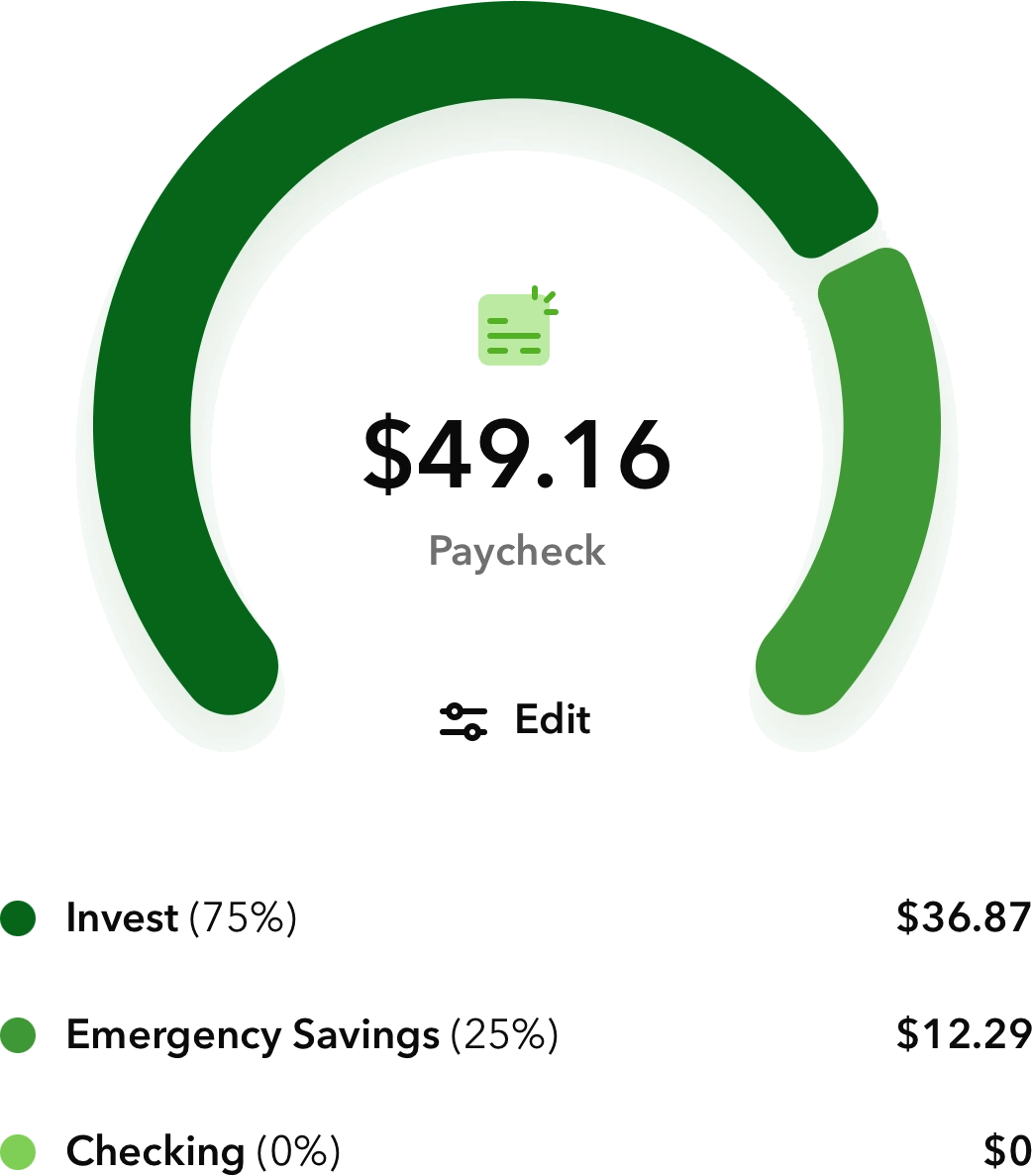
When Acorns recognizes a paycheck or a side payout in Checking, you can choose a percentage to invest. A 10% split invests $5 out of a $50 payout and $20 out of a $200 payout.
Shopping rewards
Acorns Earn has offers from stores you may already use. Acorns invests the cash back after the store confirms the purchase.
What happens after the deposit
Once the money reaches Invest, Acorns buys the funds in the mix you chose and adjusts the managed portfolio as their values change. Some companies share their earnings with investors through payments called dividends, which Acorns can reinvest for you too.
Using more than one setting
You can keep a small weekly deposit going and put away a share of side income whenever it arrives. Round-Ups draw from your bank too, so count those when you decide how much to invest.
Changing your routine
Scheduled investments show the amount that repeats. Each recognized payer in Checking has a separate setting for the percentage of that payment you’d like to keep or invest.